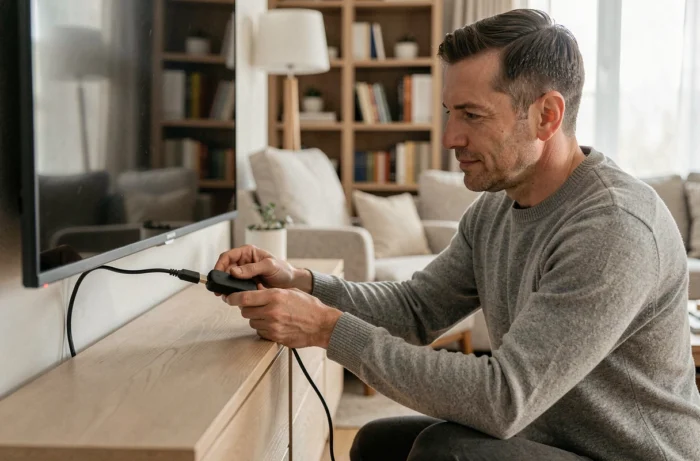
IPTV refers to the delivery of television content via the Internet protocol, as opposed to over-the-air signals, cable, or satellite. Connecting an IPTV service to a television is based on a simple principle: an application installed on a compatible device receives a video stream transmitted by a remote server. The physical or software connection varies depending on the equipment you have, but the logic remains the same.
IPTV Protocol and Connection Formats: What Flows Between the Server and Your Screen
Before plugging anything in, it’s important to understand what your device will receive. An IPTV provider transmits streams in two main formats: an M3U link (a text file containing a list of video stream addresses) or Xtream Codes identifiers (a server URL, a username, and a password).
The M3U link is the older format. It works with almost all media players, including VLC on computers. Xtream Codes identifiers are newer and offer a structured interface with a program guide, categories, and favorites management.
The choice between these two formats depends on the application you will use. Some applications accept both, while others only accept Xtream Codes. Check compatibility before subscribing to a service. To better understand the concrete steps for connection, a guide for connecting IPTV details the physical connections according to each type of equipment.
IPTV Application on Smart TV: Installation Without Additional Equipment
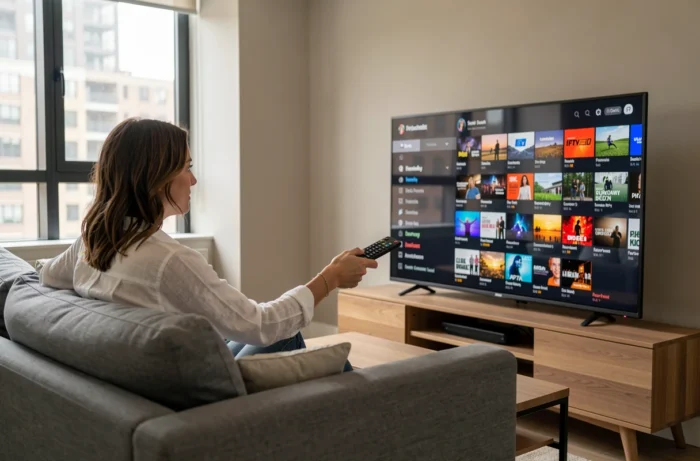
If your television is a Smart TV connected to the Wi-Fi or Ethernet network, you do not need any external box. The television itself acts as a receiver.
On recent Samsung models (Tizen), LG (webOS), or televisions running Android TV, the built-in app store offers several IPTV players. The most common are IPTV Smarters Pro, TiviMate (Android TV), and Smart IPTV.
Setting Up the Application in Three Steps
- Download the application from your television’s store, then open it. The interface immediately asks for a connection mode: Xtream Codes or loading an M3U playlist.
- Enter the credentials provided by your provider. For Xtream Codes, fill in the server URL, username, and password in the corresponding fields. For an M3U link, paste the full URL of the file.
- Wait while the channel list loads. Depending on the number of streams, this process takes between a few seconds and a minute. The channels will then appear categorized.
A often overlooked point: wired Ethernet connection reduces micro-cuts compared to Wi-Fi, especially if your Internet box is far from the television. A simple RJ45 cable between the router and the TV improves the stability of the stream.
Android TV Box and HDMI Stick: Connecting IPTV on a Non-Connected Television
An older television or one without a Smart TV system can receive IPTV through an intermediary device plugged into the HDMI port. Two categories of equipment fulfill this role.
Android TV boxes (Nvidia Shield, Xiaomi Mi Box, generic models) run on Android and provide access to the Google Play Store. You can install the same applications as on an Android Smart TV. The box connects via HDMI to the television and via Ethernet or Wi-Fi to the home network.
HDMI sticks like the Amazon Fire TV Stick offer their own ecosystem of applications. Installing an IPTV player sometimes requires sideloading if the application is not available on the Amazon store. The procedure involves allowing unknown sources in the settings, then installing the APK file via a file manager.
Minimum Internet Speed Based on Quality
The image quality directly depends on your bandwidth. For standard definition streaming, a few megabits per second are sufficient. High definition requires a more comfortable speed, and 4K needs a significantly faster connection. Test your actual speed before choosing the streaming quality in the application settings to avoid buffering.
Blocking of Pirate IPTV Streams in France: What a Beginner Should Know
The IPTV technology is perfectly legal. Services like Molotov, MyCanal, or Pluto TV use exactly the same technical principle. However, unauthorized services that redistribute paid channels without the rights holders’ agreement fall under the law.
Arcom has significantly intensified its actions since 2022, with nearly 20,000 domain names blocked related to illegal sports streaming. A recent decree amending Article L. 333-10 of the Sports Code now allows for automated and real-time blocking of pirate sports streams during their broadcast.
In practice, an unauthorized IPTV subscription can stop working in the middle of viewing, without warning. ISPs and public DNS resolvers receive the addresses to block directly from a system powered by the rights holders, under Arcom’s control.
For a beginner, the rule is clear: if the price seems abnormally low for thousands of channels, the service is likely illegal and may be interrupted at any time. Prefer official platforms or declared providers.
The physical connection of an IPTV service to a television takes just a few minutes, regardless of the equipment. The difficulty is not technical; it lies in choosing the appropriate connection format for your application and the quality of your home network. An Ethernet cable, sufficient speed, and a legitimate provider form the foundation of a reliable installation over time.